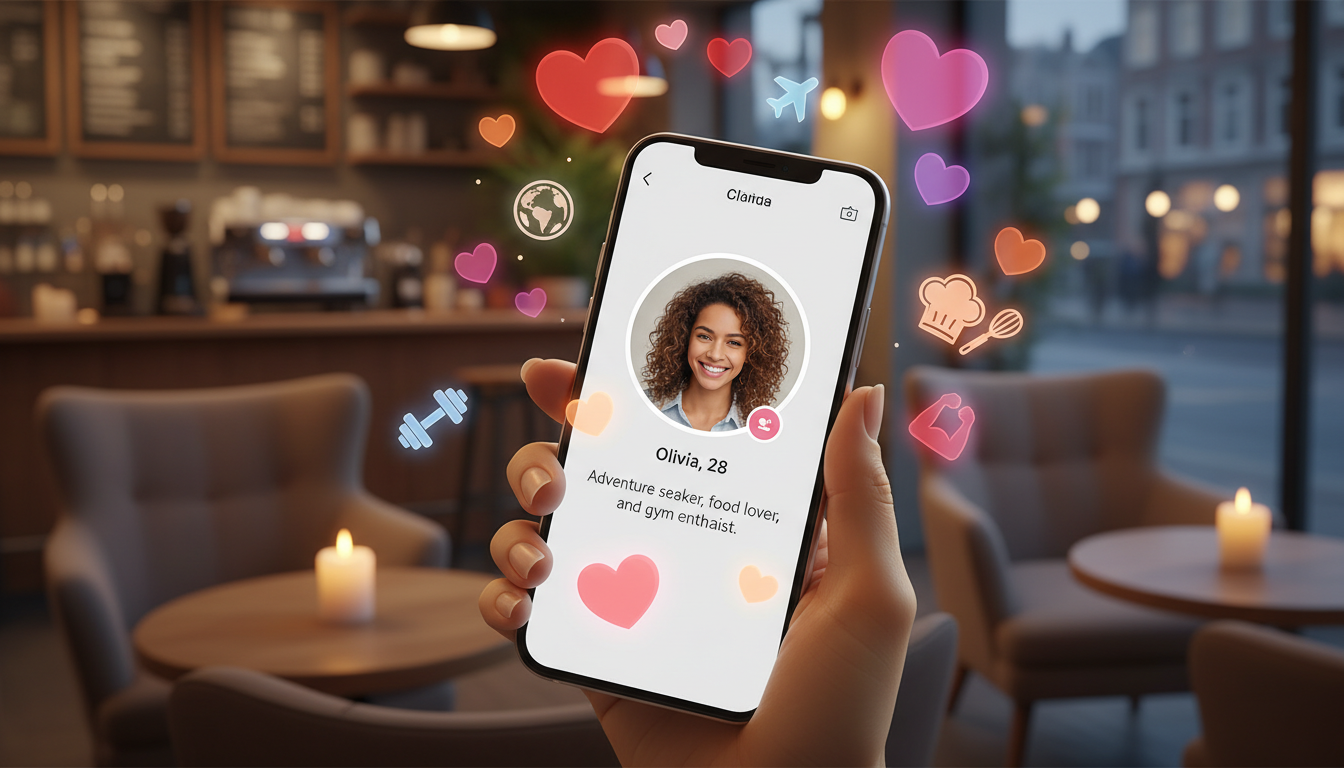
Online dating is now a big part of life for millions in the US. Apps like Tinder, Bumble, Hinge, Match, and OKCupid help people meet others far and wide. Yet, with this wide reach comes risks. This guide will show you how to make sure your match is real and keep online dating safe.
Ads
In this article, you’ll learn easy steps for dating profile verification. We’ll talk about using in-app features like verification badges and photo checks. You’ll also learn about doing your own checks, like reverse image searches. Plus, we give tips for safe chatting and planning safe meetings. Our aim is to make verifying match details simple, without making it feel like a full investigation.
We’re here with a friendly and straightforward message for US singles of all ages. Want to date smarter? Remember, no single method is foolproof. But using several dating app verification methods together greatly reduces your risk. Always stick to the app’s rules and the law. And remember, respect everyone’s privacy. Avoid spreading personal info.
Key Takeaways
- Use both built-in app features and outside checks to improve online dating safety.
- Verification badges and photo checks on platforms like Tinder and Hinge are useful first steps.
- Reverse image searches and social media cross-checks can reveal inconsistencies.
- Respect privacy and legal limits—don’t share or publish personal data.
- Layered verification lowers risk but cannot guarantee a match is real 100%.
Why Dating App Verification Matters for Online Safety
Verifying profiles on dating apps makes them safer from the start. It stops users from wasting time on fake profiles. And it makes chats feel more secure and useful.
Risks of Unverified Profiles
Scammers often create fake accounts using stolen photos on apps like Tinder and Bumble. These profiles look real but hide a fake identity.
Sharing personal info too soon ups privacy risks. It can lead to stalking or scams that follow you off the app.
Romance scams can cause emotional and financial damage. Victims are tricked, then asked to send money for emergencies or travel.
Meeting bots, spam, and scammers is more likely with unverified accounts. They interrupt real talks and spread scams.
Common Scams and Catfishing Tactics
Romance scams trick you into sending money through fake emergencies. Scammers often pretend to be soldiers or pros to gain trust.
Catfishers create fake lives and photos to trick you emotionally. They slowly ask for more while keeping you away from advice.
Bots send weird messages or links and try to move chats off-app. They match what the FTC and BBB say about scams.
Benefits of Verifying Matches for Better Dating Outcomes
Verification weeds out fake matches, helping you meet real, compatible people. It makes finding real connections more likely.
It boosts confidence in chatting and planning to meet up. Knowing someone is verified lowers worries about lies or catfishing.
Verified profiles mean less fraud and danger at meetups. Basic checks lead to better matches, clearer talks, and more fun dates.
Dating App Verification: How to Certify Your Match is Real
Before swapping numbers, do a quick check. It saves time and keeps you safe. Use both the app’s features and your own checks to make sure your match is who they say they are.
Step-by-Step Verification Workflow
Read the profile carefully for any inconsistencies. Then, look at verification badges and signals the app provides.
- Check if the profile details match the photos and bio.
- Look for verification badges or photo checks on apps like Tinder or Hinge.
- Ask questions about recent activities or places they know.
- Do your own checks: reverse image search and check their social media.
- Have a short video call before meeting to see them for real.
- Meet in public first. Have a safety plan and tell a friend about it.
Always do basic checks before giving out personal info. Try to have a video call before going on a date. Keep messages and screenshots of any inconsistencies, following privacy and app rules.
Checklist to Confirm Identity Before Meeting
Use this checklist before meeting someone from a dating app. It helps you feel more sure.
- Look for several photos that match across the profile.
- Check for a matching social media presence (LinkedIn, Instagram, Facebook).
- Make sure the phone number or email is right for their location and profile.
- Do a reverse image search on profile photos.
- Have them complete a live video or selfie check.
- They shouldn’t rush to take the chat off the app.
- They shouldn’t ask for money, bank details, or sensitive info.
- Try to check their age, job, or education if you can.
- See if you have any mutual connections or friends.
- Secure your own account with two-factor authentication.
Keep this checklist close. It helps you make safe choices before you meet someone.
Red Flags That Suggest a Profile Is Fake
Look out for signs of a fake profile to spot risky accounts. Trust your gut if something seems wrong.
- Just one or two professional photos and not much personal info.
- Vague bios that skip over their job or where they live.
- They want to move to another app or want your contact details right away.
- They dodge or give inconsistent answers to simple questions.
- Noticeable changes in their writing style or grammar.
- Claims that don’t match their social media or public profiles.
- They talk about frequent travel or jobs that sound made up.
- Too much flattery too soon or asking for money or favors.
If you spot several red flags, stop and tell the app’s safety team. Use the verification steps and checklist to either check further or to stop talking if you’re not sure.
Using App-Based Verification Tools and Built-In Features
Apps have tools to help make sure a match is real. These features speed up the first check. Learn their uses and how to protect your info.
Verification Badges and What They Mean
Apps like Tinder and Bumble show verification badges to indicate a basic ID check. A badge means the user proved their identity in a specific way. But still use your judgment; badges aren’t foolproof.
Scammers can still bypass these checks. So, see badges as just part of keeping safe.
Two-Factor Authentication and Account Security Settings
Using two-factor authentication makes it harder for someone to hack your account. An authenticator app is best, or use SMS if needed. Always pick a strong, unique password and change it now and then.
Check your app permissions and update settings. Keep your phone and apps updated too. This keeps your chats safe and the verification reliable.
Photo Verification Tools and Live Selfie Checks
Photo verification means taking a selfie to prove you match your profile. Some use AI and human reviews to avoid mistakes. A live selfie test stops fakes and stolen photos.
A quick video call adds another check before you meet. It confirms the person’s identity. Don’t let the app access your camera outside of verification and don’t share ID docs without clear need and security.
Independent Techniques to Verify a Match Outside the App
If you’re unsure about a profile, try some steps to check it out before you meet up. These methods help you learn more than what’s just in the dating bio. Always respect privacy and use common sense.
Reverse image search dating lets you quickly see if profile pictures are used elsewhere. Save the photo or its link, and upload it to Google Images or TinEye. If you see the same photo on different profiles, that’s a big warning sign. But if you find nothing, it doesn’t fully prove the profile is real. It just means less doubt.
Social media cross-check verifies if someone’s online presence is real. Look them up on Instagram, Facebook, LinkedIn, and X. Real profiles usually have posts over time, genuine comments, pictures from events, and friends that make sense. Watch out for profiles that are new, have few posts, reused pictures, or weird ratios of followers to activity. These might show someone is not being honest.
When you check social media, do it respectfully. Don’t make fake accounts to spy. It’s not okay to message people you find or to bother anyone. Instead, see if job and school info on LinkedIn match what’s in the dating profile.
Phone calls or asking for a voice note can also help confirm someone’s real. Check their phone number with sites like Whitepages or Truecaller. You want to see if the name or place matches up with their profile.
Checking an email address can tell you a lot too. See if it’s a common one like Gmail or if it matches a company name they mentioned. By looking at email headers, you can sometimes see where messages really come from. Special email search tools might show you other social accounts or places the email has been mentioned online.
Be careful with paid background checks. They can give helpful info but aren’t always right. Also, there are privacy and legal things to think about. Make sure you know the laws in your area before getting a report, and only do it if you really need to.
- Reverse image search dating: save image → upload to Google Images or TinEye → review matches
- Social media cross-check: compare photos, timelines, mutual connections, and activity
- Phone verification and email lookup: quick call, reverse phone lookup, and domain checks
Mixing these verification steps is the best plan. Be smart, protect your info, and always put safety first.
How to Communicate Safely While Verifying a Match
Start your chats with clear goals and a friendly attitude. Make sure to communicate safely right from the start. A brief but informative conversation helps confirm details without putting pressure on anyone.
What Questions to Ask Early On
Stick to easy, checkable questions related to their profile. Ask about things like work, favorite spots in their area, or recent events that have specific dates.
- “What part of your job do you enjoy most?”
- “Which coffee shop did you visit last in your city?”
- “Where did you grow up and what’s one memory you still enjoy?”
Ask questions that are easy and not too personal. Stay away from topics about money or very private things until you feel you can trust them. The best questions help you double-check their stories later on social media or over a quick phone call.
Signs of Evasive or Inconsistent Communication
Be on the lookout for signs of dodgy communication early on. If they give unclear answers, keep changing their stories, or won’t do a quick video call, those are warning signs.
- Short or scripted responses that don’t match profile content
- Changing stories about job, location, or timeline
- Pressure to move off-app immediately or urgent requests for money
Challenge them with simple questions to check if they’re genuine. A quick question that aligns with their experiences will be easy for a real match to answer.
Moving Conversations to Verified Channels Securely
Only move the chat off the app after a few exchanges and some initial checks. Share your contact info or social media links when it feels right.
- Consider a brief phone call before texting to confirm a voice and caller ID
- Use apps with verified phone numbers or Signal for encrypted messages
- Use Google Voice or a secondary number if you prefer a buffer
Don’t share your personal address or workplace info until you’re sure you can trust them. Keep your conversations on platforms that record your chats and let you report issues. This keeps you safe as you’re getting to know someone new.
Preparing for an In-Person Meeting After Verification
After you both get verified, think about safety when planning your meet. Choose places where you feel safe and can easily leave. Make sure your messages are clear about the time, how you’ll get there, and what you expect. This helps you stay in charge.
Choosing Safe Public Meeting Places
Pick crowded coffee shops, casual diners, museums, or parks for your first date. These spots are safe because there are always people around. They are near buses and trains and have clear ways out.
Think of how easy it is to get there and the rules of the place. Go somewhere you can see everything clearly and can leave fast if you need to.
Sharing Plans with Friends and Setting Check-Ins
Let someone close know who you’re meeting, their profile, where you’ll be, and when you plan to be back. Plan to check in with them using a text or emoji when you arrive. This keeps friends in the loop.
Share your location with Apple’s Find My or Google Maps while you’re on the date. Have a backup plan in case you miss a check-in. This way, someone will know to check on you.
Quick On-Arrival Identity Checks and Boundaries
When you meet, confirm it’s them with a live selfie or a shared detail. Check if their voice matches their calls. This makes sure they are who they say they are.
Talk about your limits regarding touching, drinking, and sharing info right away. Always listen to your gut and leave if something doesn’t feel right.
Plan your ride home or book a rideshare in advance. Let a friend know when you’ll be picked up. Keep your phone charged. If something seems wrong, don’t hesitate to report it.
Conclusion
This dating app verification conclusion wraps up the key steps that help you verify your match and stay safe. Use built-in verification tools like badges and two-factor authentication. Then, add independent checks such as reverse image search and social media cross-checks. These layers help make sure your match is real and reduce scams.
For practical next steps, turn on app verification features and 2FA. Do a quick reverse image search on photos that seem strange. And, ask for a short video call before meeting. Move conversations to verified channels when it makes sense. Also, choose busy, public places for first dates. This recap on online dating safety keeps things simple and smart.
Scammers always find new tricks, so you have to stay sharp. Review your safety habits, update apps often, and report fishy profiles to platforms like Tinder, Bumble, or Hinge. Verification doesn’t mess with romance—it actually supports it. It helps start things off safer and with more trust for singles everywhere in the United States. Turn these steps into habits, and you boost your odds of finding a true connection.
Content created with the help of Artificial Intelligence.